YouTube video of how to order gift at UpoharBD.com: https://youtu.be/KmfZheZi3vc
Facebook video of how to order gift at UpoharBD.com: https://www.facebook.com/UpoharBD/videos/10153236088653414/
Step by step instruction to place gift orders for Bangladesh online:
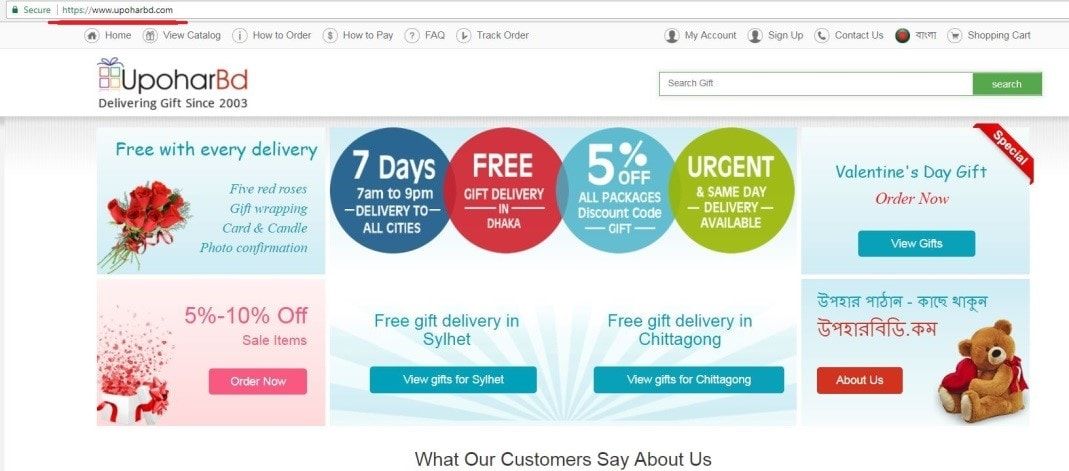
Step1: Please visit our website (আমাদের ওয়েবসাইটে যান): https://www.upoharbd.com
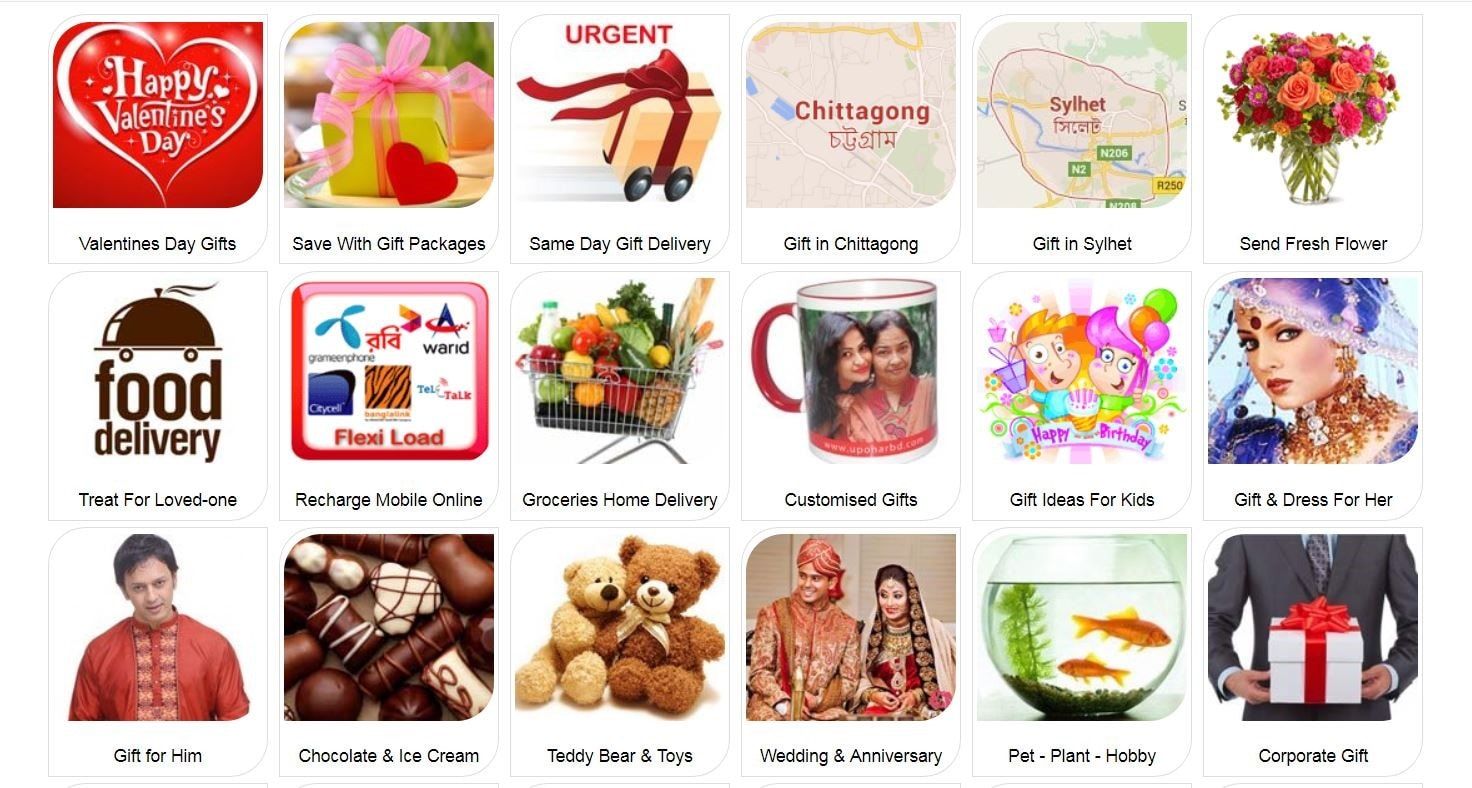
Step 2: Visit gift categories and choose gift items (আমাদের উপহার catagory গুলো থেকে আপনার পছন্দ মতো উপহার আইটেমটি নির্বাচন করুন)
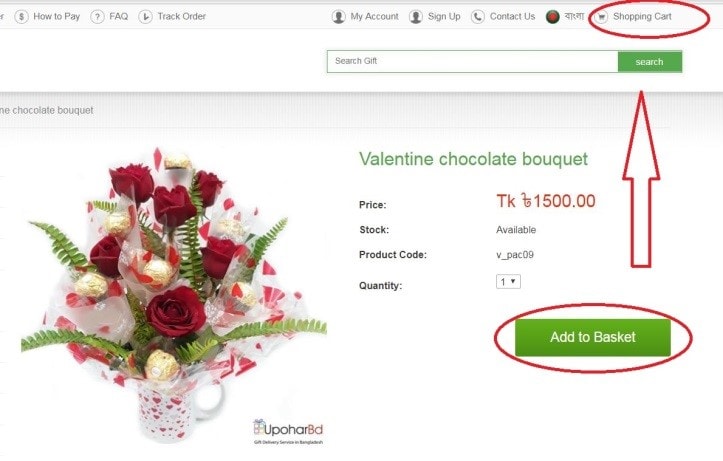
Step 3: Click on product images to view details > click Add to Basket to store product in your online shopping cart/basket > and then click on Shopping Cart to view total product and price details. (কোনো প্রোডাক্ট এর বিবরণ জানতে হলে প্রোডাক্ট এর catagory হতে উক্ত প্রোডাক্ট আইটেমটির ছবির উপর ক্লিক করুন > অতঃপর প্রোডাক্ট আইটেমটি পছন্দ হলে তা Shopping Cart এ যোগ করুন, Shopping Cart এ প্রোডাক্টটি add করার জন্য Add to Basket এ ক্লিক করুন > তারপর, উক্ত নির্বাচিত প্রোডাক্টটির বিবরণ ও মূল্য জানার জন্য Shopping Cart icon টিতে ক্লিক করুন)
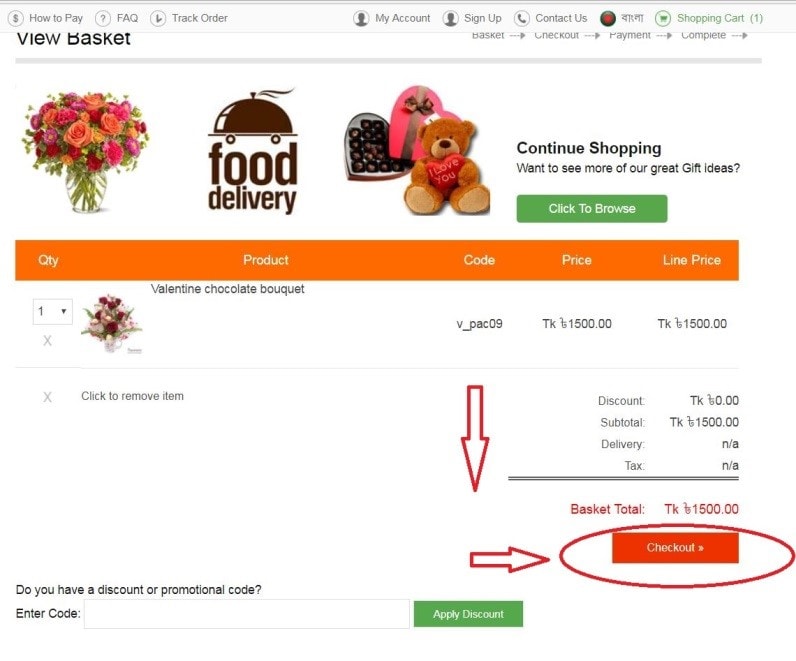
Step 4: Click on Checkout. We offer discount codes on the homepage, on our Facebook page and via email during popular gift occasions such as Eid. You can use discount code and click ‘Apply Discount’ on this page. Please apply discount code first and then click ‘Checkout’. (আমাদের Website এর homepage এ আমরা একটি monthly ডিসকাউন্ট কোড দিয়ে থাকি, এছাড়াও আমাদের ফেইসবুক পেজ এ ও e-mail এর মাধ্যমে বিভিন্ন জনপ্রিয় উৎসব যেমন ঈদ festivel এ ডিসকাউন্ট কোড sent করে থাকি. আপনি যদি ডিসকাউন্ট কোড পেতে আগ্রহী হন তবে Checkout বাটনটিতে ক্লিক করার পূর্বে উক্ত পেজএ Checkout বাটনটির নিচে Enter code box এ কোড টি লিখে "Apply Discount" এ ক্লিক করুন. অতঃপর, আপনি Checkout বাটনটি ক্লিক করবেন Note : অনুগ্রহ করে প্রথমে ডিসকাউন্ট কোডটি Apply করে, অন্তিমে আপনি checkout Button এ ক্লিক করবেন নয়তো ডিসকাউন্টটি আপনার পেমেন্ট এর সাথে ADD হবে না.)
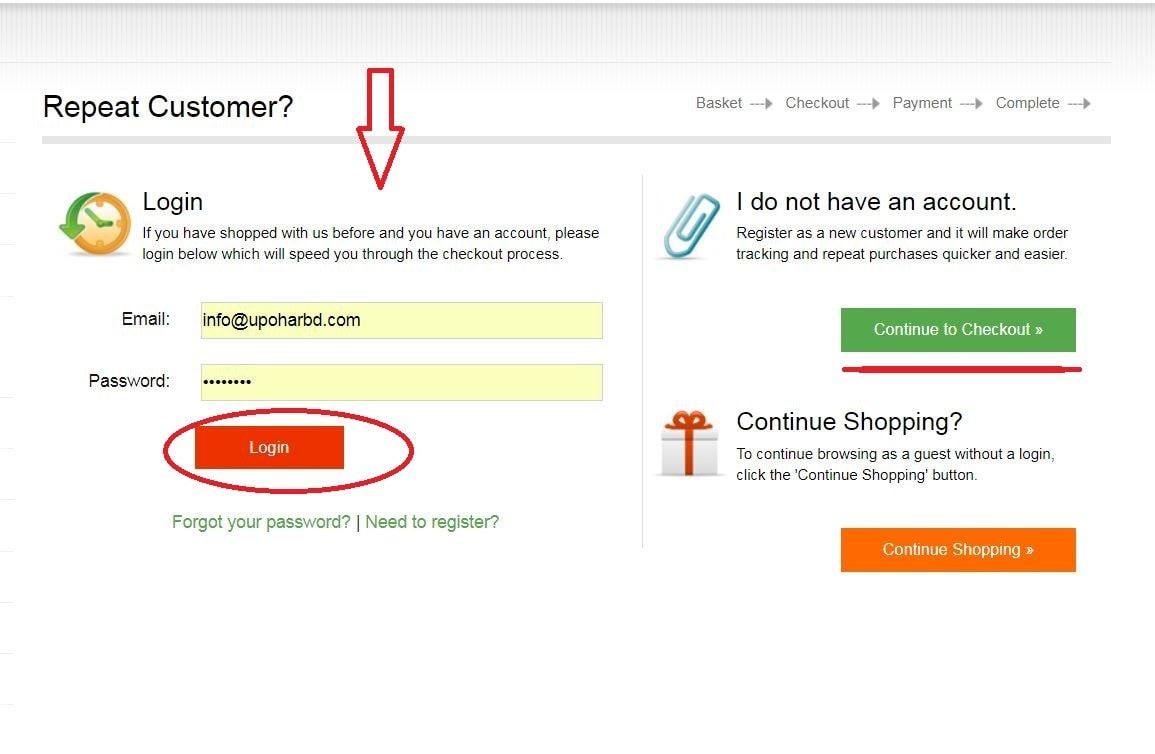
Step 5: If you are a new customer, please click on Continue to Checkout button to register with your details. If you already have an account in our website, please type your email address and password in the left side of this page to login. (যদি আপনি আমাদের নতুন cutomer হয়ে থাকেন তবে অনুগ্রহ করে Continue to Checkout এ ক্লিক করুন এবং আমাদের ওয়েবসাইট আপনার পার্সোনাল তথ্য প্রদান করে নিউ কাস্টমার হিসেবে রেজিস্টার করুন. আর যদি আপনি আমারে website এ পূর্বে রেস্টাজিস্টের করে থাকেন তবে বাম পার্শে আপনার email address এবং password লিখে Login এ ক্লিক করুন.)
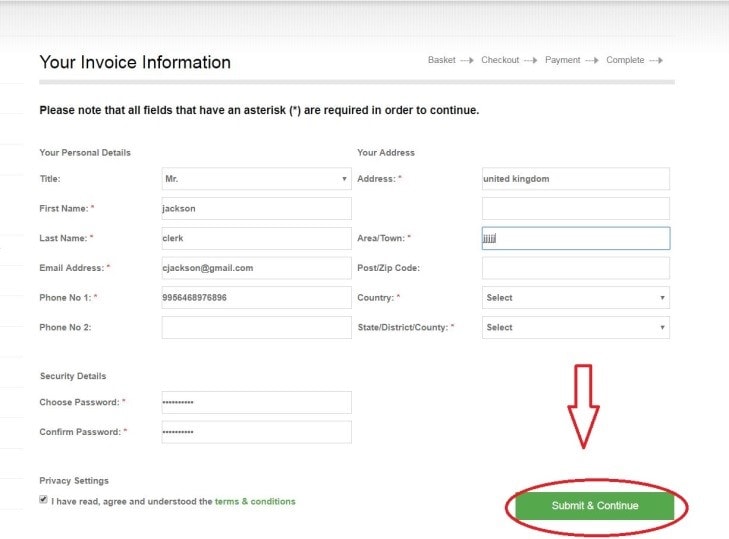
Step 6: On the new customer registration page (Your invoice information), you must fill up the blank, which are star marked > you have to accept and tick Terms & Condition. To proceed, click on Submit and Continue. (শুধুমাত্র নতুন কাস্টমার এর দৃষ্টি আকর্ষণ করে এ ধাপটি বিবরণ করা হয়েছে. নতুন কাস্টমারকে রেজিস্ট্রেশন পেজএ খালি জায়গাগুলো পূরণ করতে হবে. বিশেষ করে যেসব খালি জায়গাগুলো তে ষ্টার চিহ্ন রয়েছে অবশ্যই সেগুলো পূরণ করতে হবে. অতঃপর, আপনাকে রেজিস্ট্রেশন পেজটির নিচে "Trems and condition" -এ টিক দেয়ার পর "Submit and Continue " বাটন এ ক্লিক করতে হবে.)
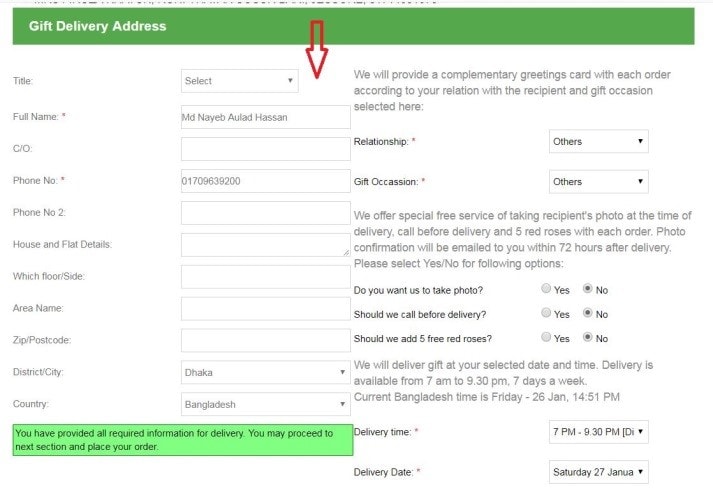
Step 7: After registration/login, you will have to provide valid address for gift delivery. You will also have the option to select delivery date and time. (নিবন্ধন অথবা লগইন করার পরে, আপনার উপহারটি ডেলিভারি করার জন্য আপনাকে আপনার উপহার গ্রহণকারীর বৈধ ঠিকানা প্রদান করতে হবে এবং আপনাকে অবশই আপনার ডেলিভারির তারিখ ও সময় নির্বাচন করতে হবে।)
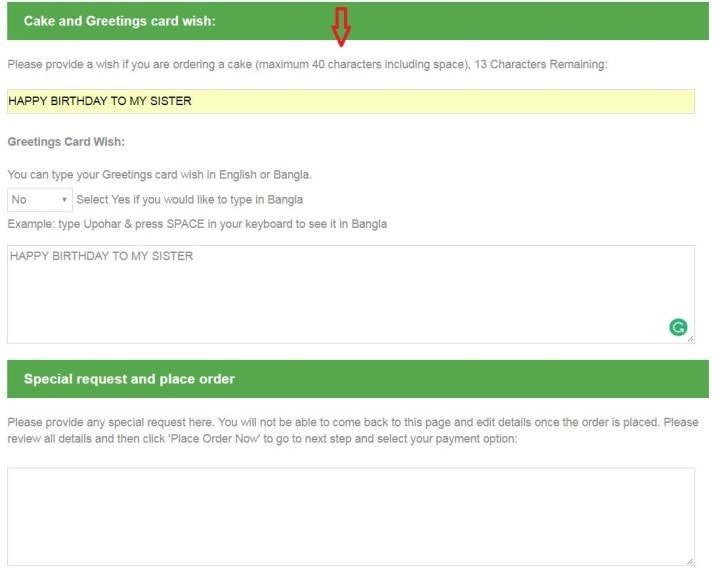
Step 8: We offer a greetings card with every gift delivery, please provide your card wish in this section. If you have a cake, please provide cake wish too. (আমাদের উপহার বিডির সমস্ত gift এর সাথে একটি grettings card প্রদান করা হয়, অনুগ্রহ করে করে Card Wish BoX এ আপনার আপনজনের জন্য একটি wish লিখবেন।)
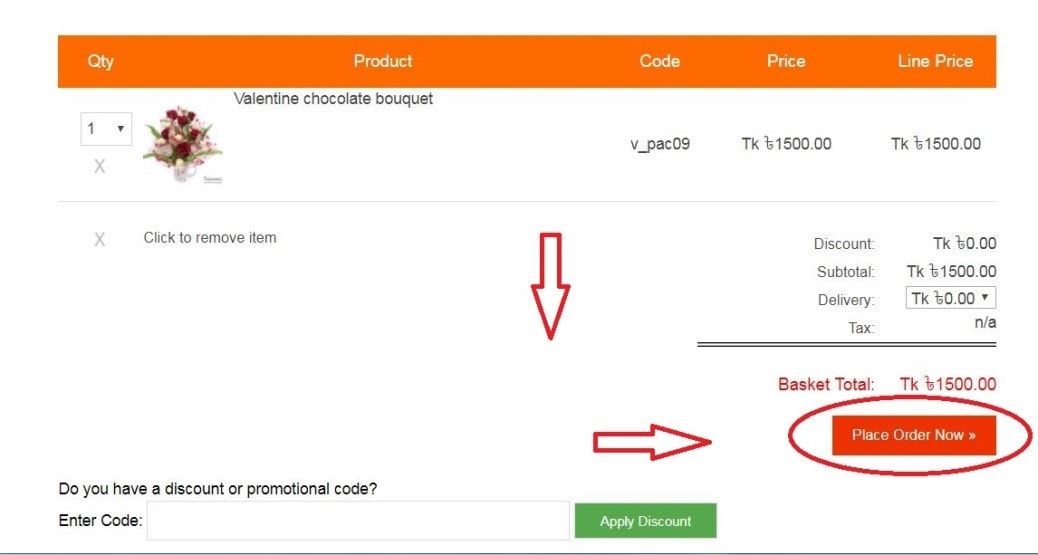
Step 9: Click Place Order Now to submit your order (অতঃপর, আপনার অর্ডারটি আমাদের system এ submit করার জন্য "Place order now" বাটনটি ক্লিক করবেন.)
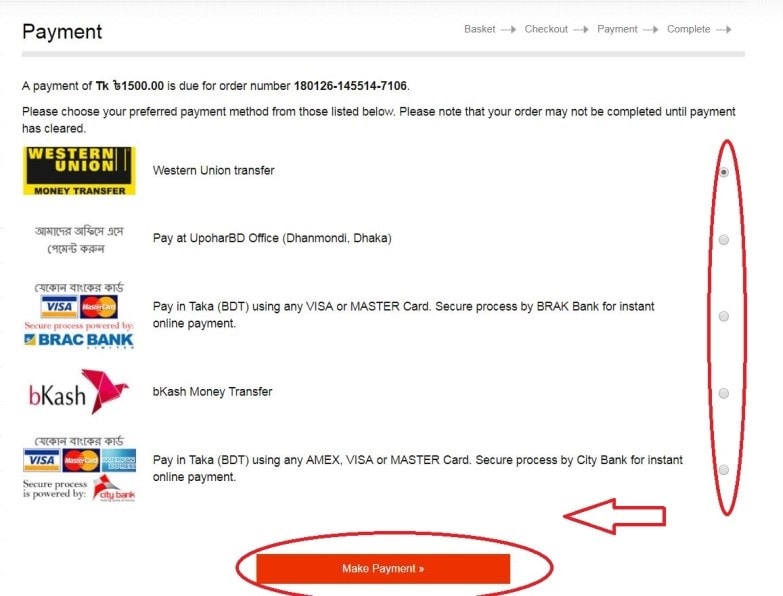
Step 10: Choose your preferable method and click on Make Payment (সর্বশেষে আপনার পছন্দ মতো payment method option টি সিলেক্ট করে Make Payment এ ক্লিক করুন)